Fleet Mobile Maintenance
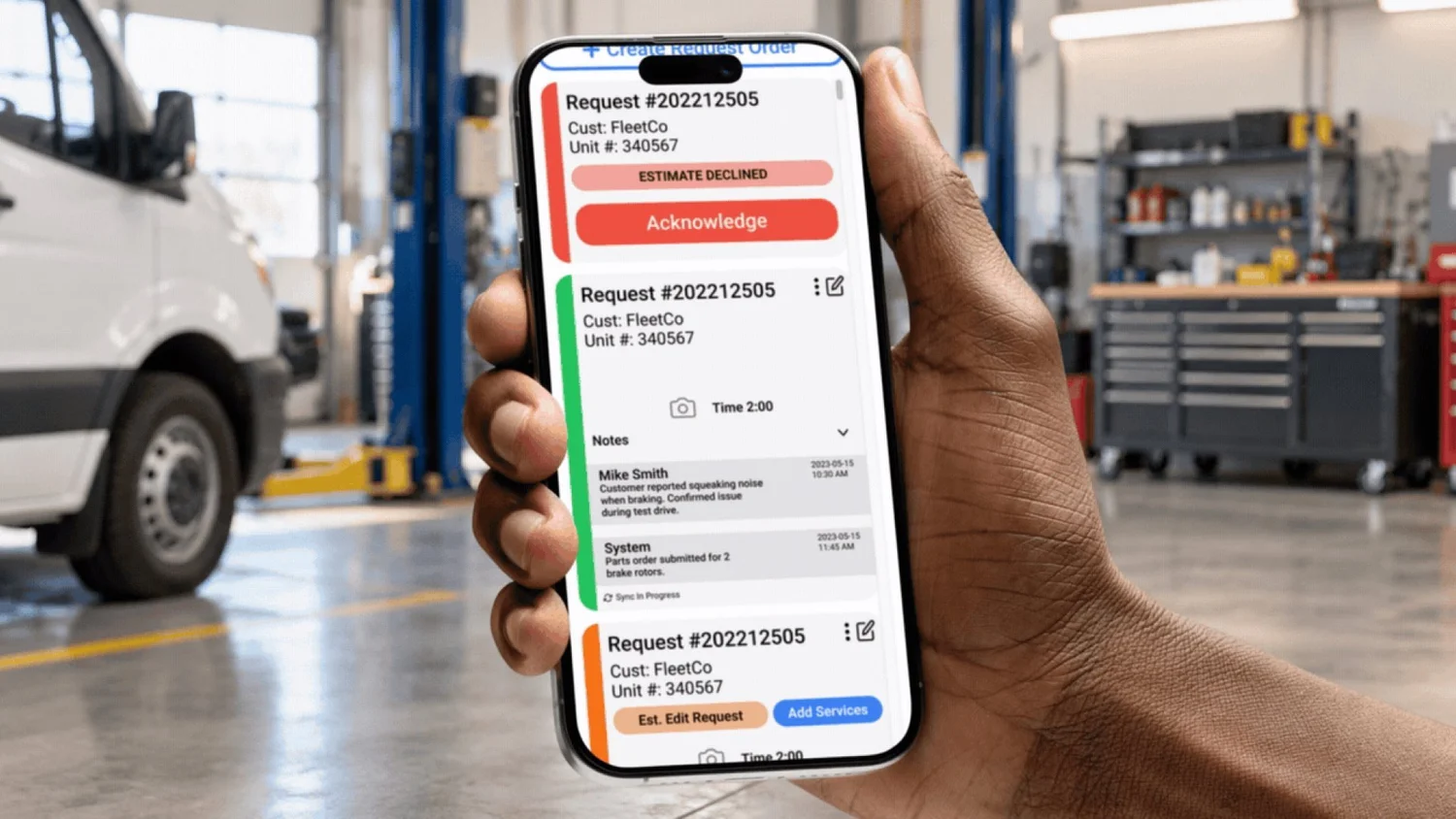
A mobile maintenance app for Epika Fleet Services, designed around mechanics' documentation and daily workflows.
Less paperwork.
More repairs.
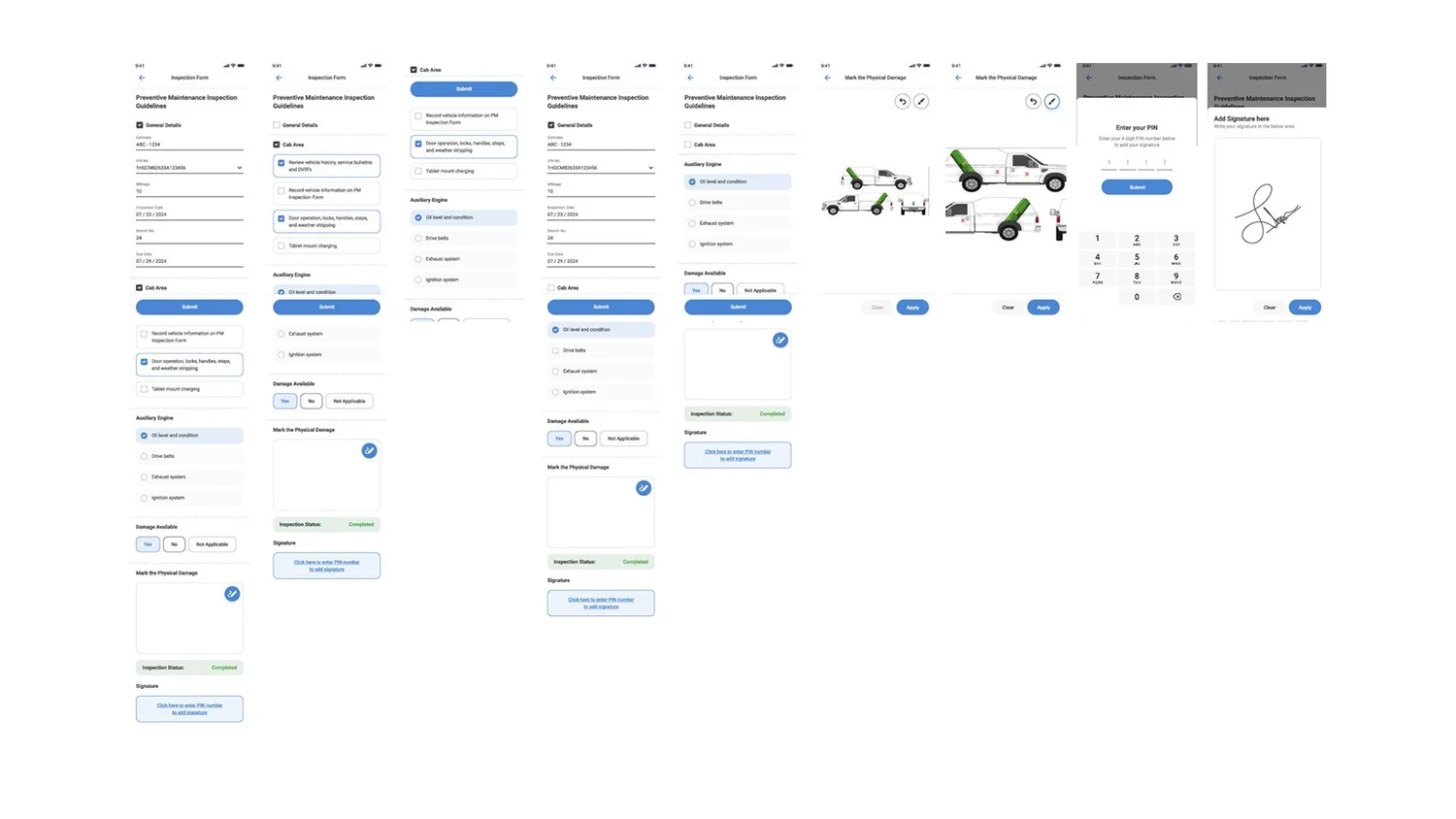
Connected forms for inspections and sign-off
Customer selection, totals, and time entry
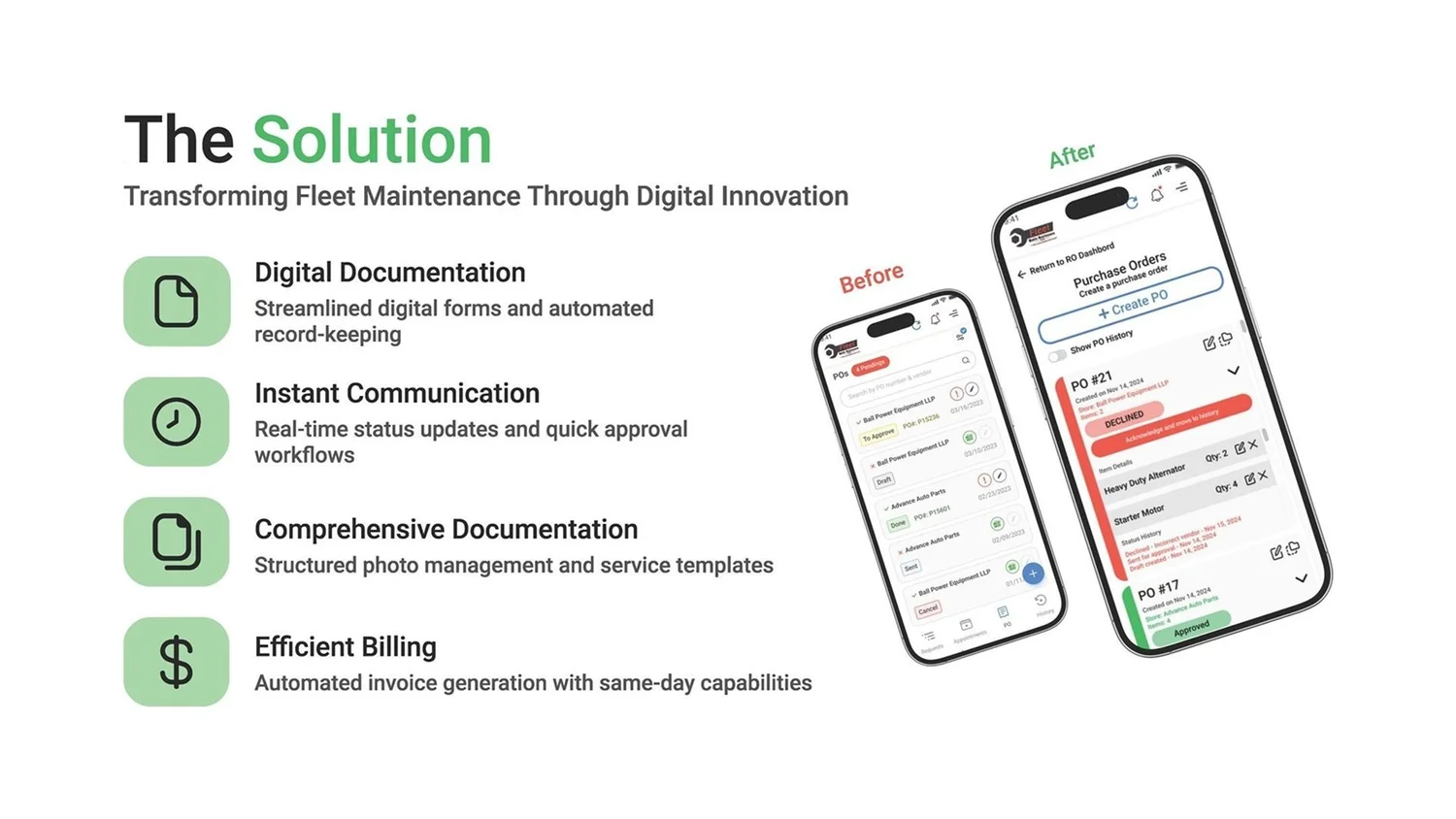
Redesign goals for documentation and billing
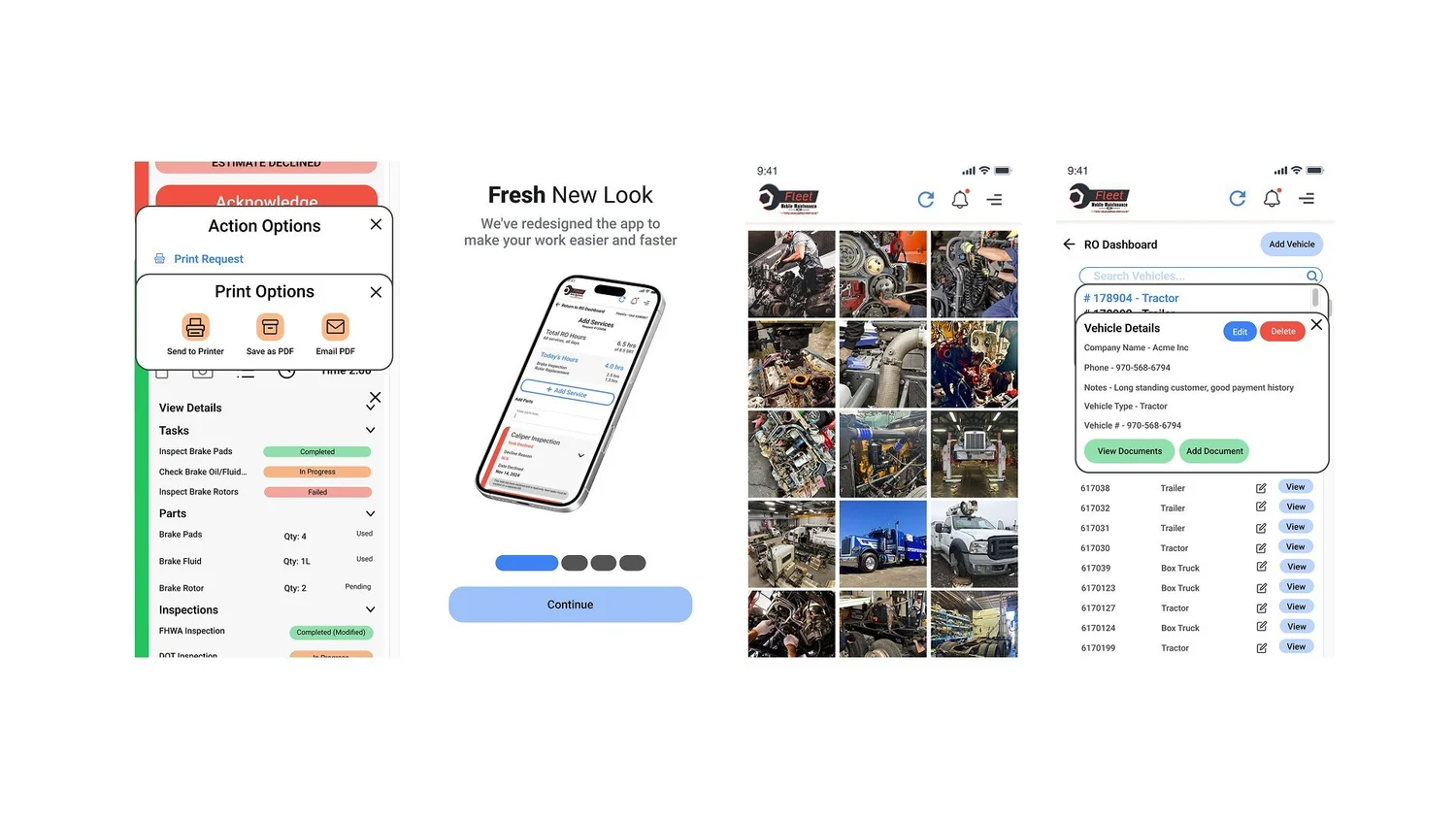
Print options, onboarding, and repair photos
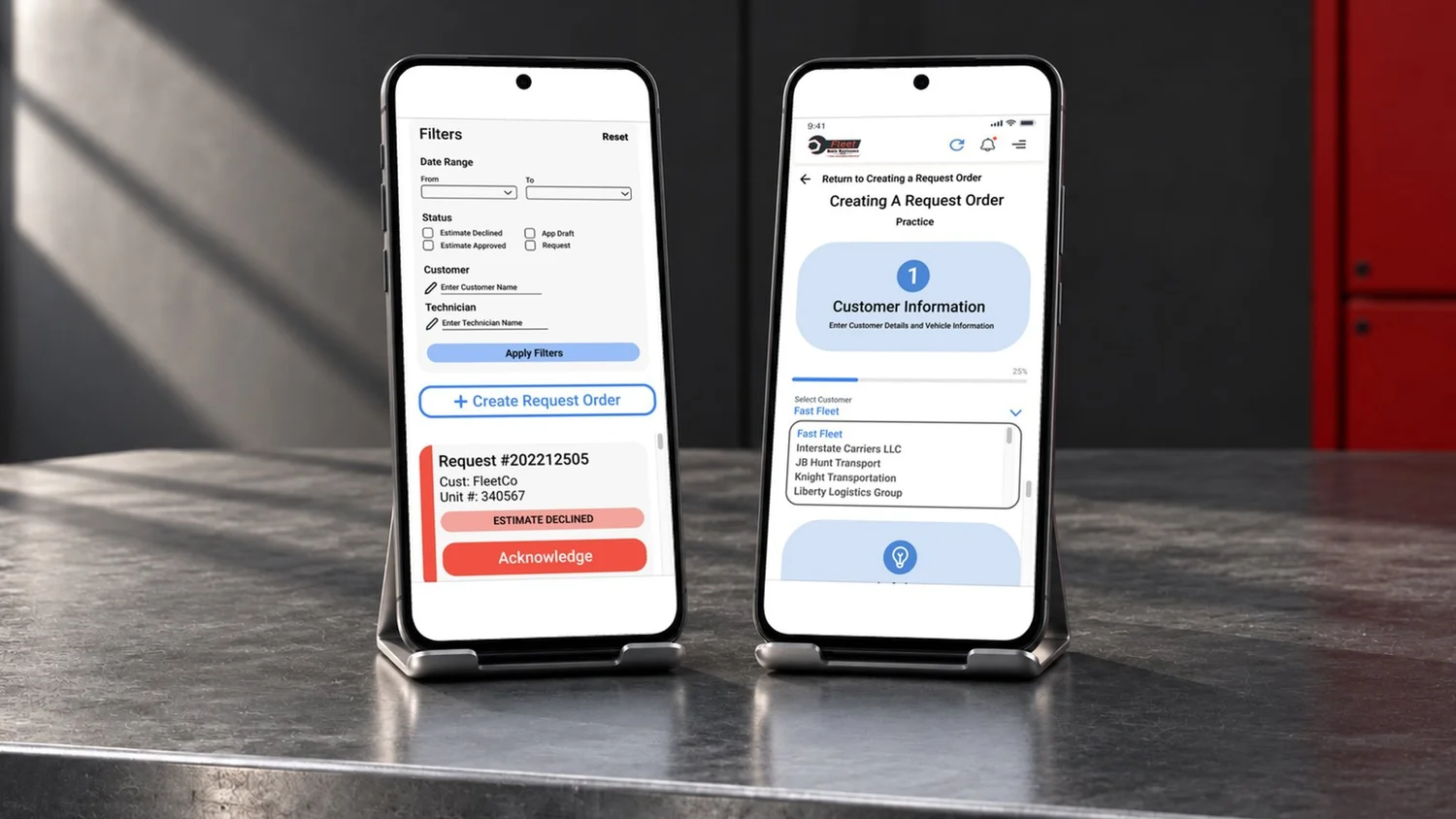
Filters for creating a repair request
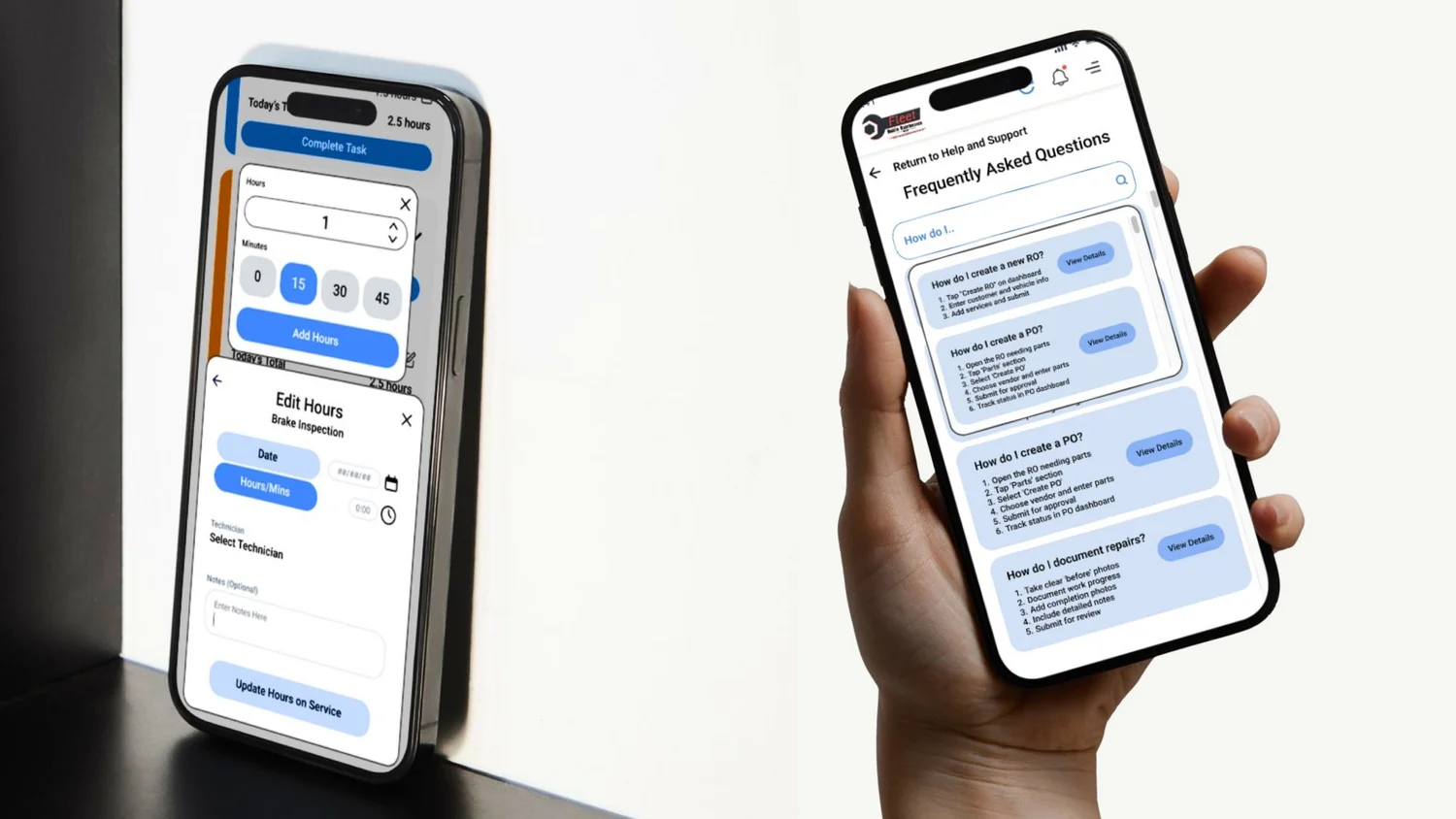
Time-entry controls and in-app answers
Connected forms for inspections and sign-off
Customer selection, totals, and time entry
Redesign goals for documentation and billing
Print options, onboarding, and repair photos
Filters for creating a repair request
Time-entry controls and in-app answers
Process
Solution
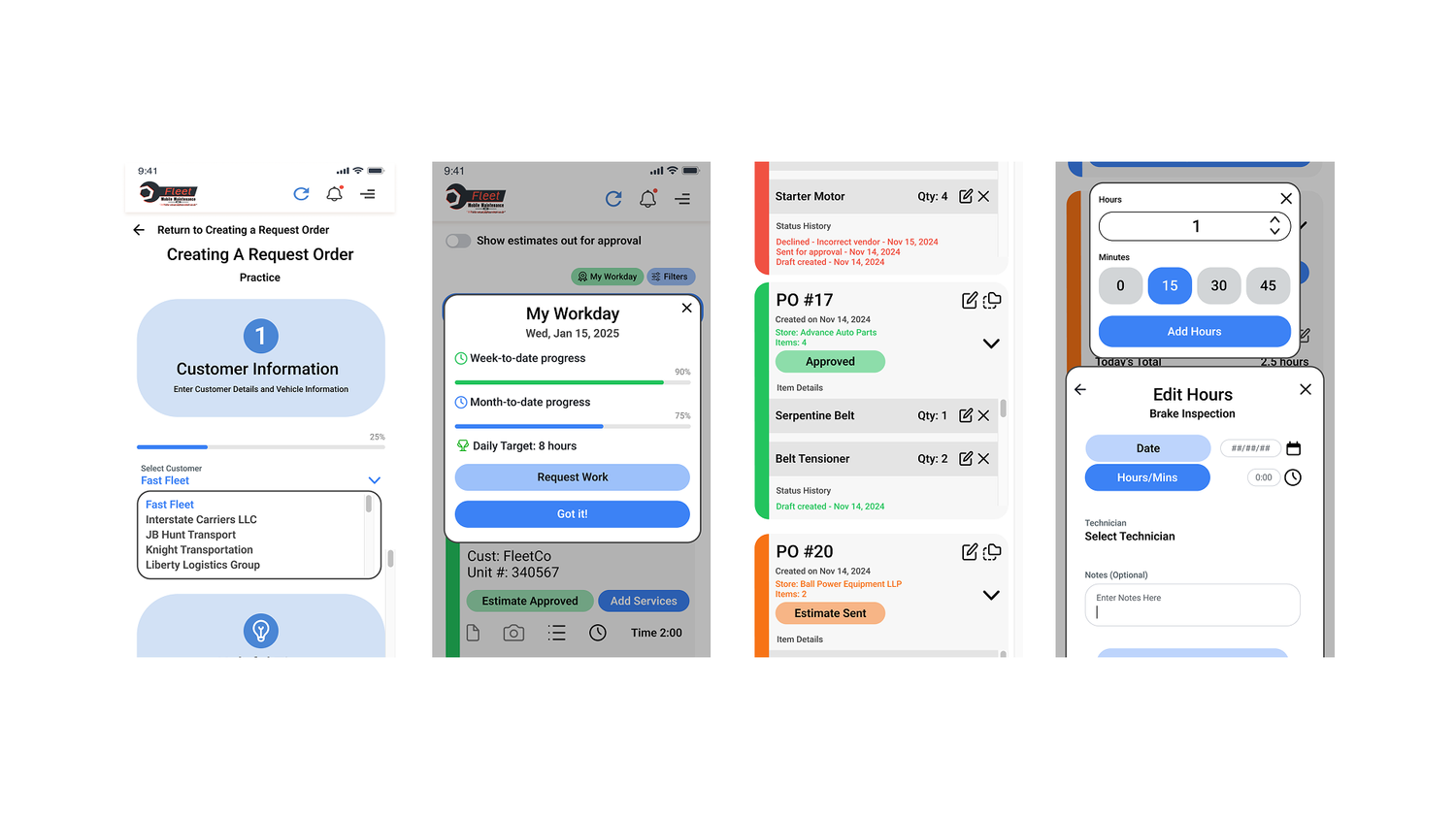
I reviewed the paper workflow, developed task flows and screens, and built a reusable component library across more than 500 screens. These original interface views show filtering, request-order creation, and the workday summary.
The app brings repair documentation, purchase-order requests, filtering, and a workday summary into a consistent mobile interface. A reusable component library keeps controls and screen patterns consistent across more than 500 screens.
Process
I reviewed the paper workflow, developed task flows and screens, and built a reusable component library across more than 500 screens. These original interface views show filtering, request-order creation, and the workday summary.
Solution
The app brings repair documentation, purchase-order requests, filtering, and a workday summary into a consistent mobile interface. A reusable component library keeps controls and screen patterns consistent across more than 500 screens.
Design development
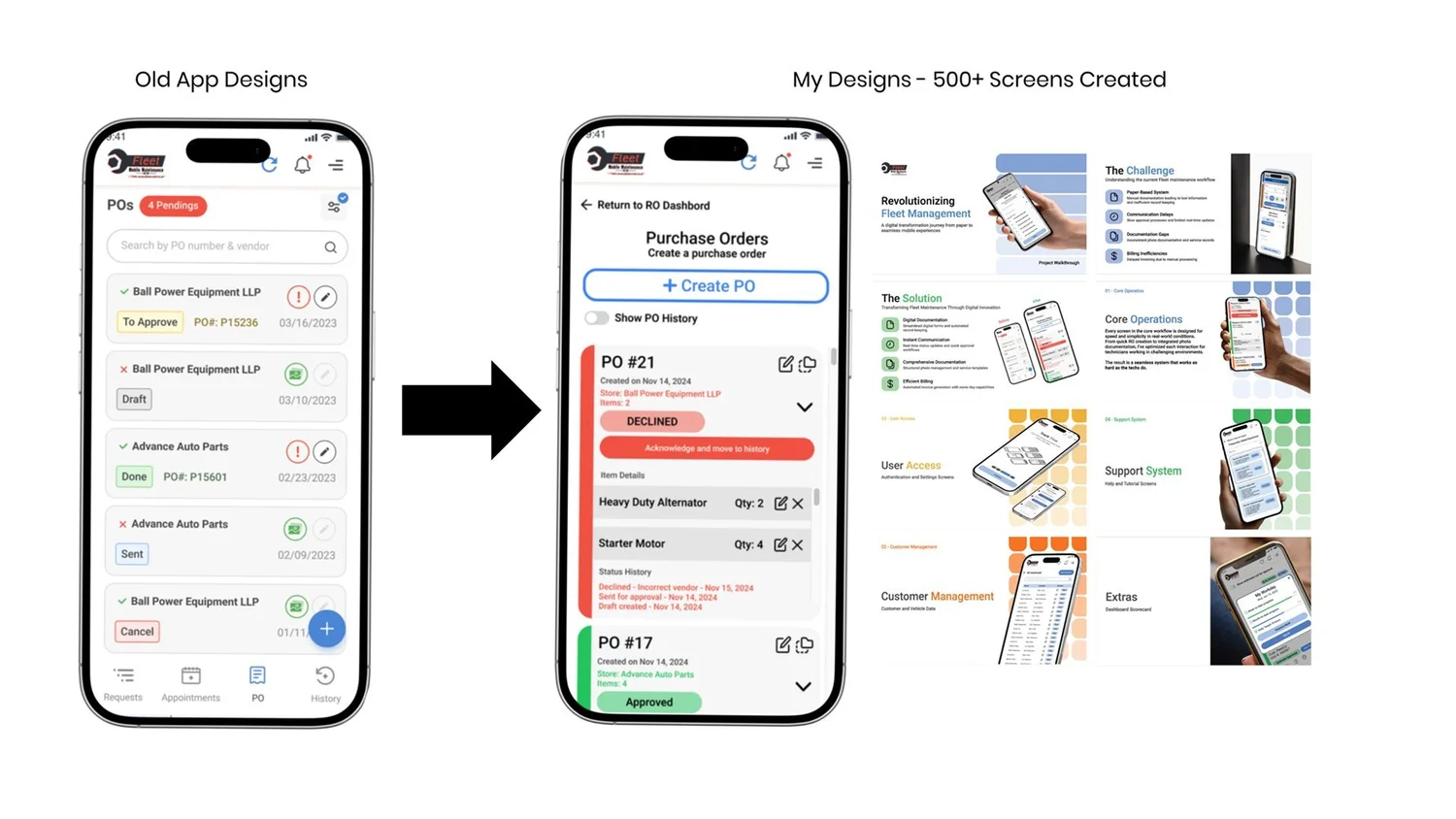
Purchase-order screens, before and after